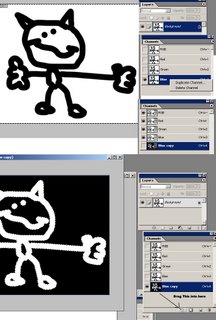
Scott, you being a linework guy just starting to manipultae his stuff in photoshop, I wanted to share this little gimmick with you. Take your scanned art, go to "channels" , duplicate the blue channel, invert it (ctrl I), and drag it to that little dotted line circle at the bottom of the channels box.
This selects just your line. And it can be used later to reselect the line area any time you feel the need to eradicate or reinstate that line. This is very useful for recoloring the line as someone else suggested. Deselet the inverted channel and select the RGB channels to go back to your regular art's appearance. Press ctl h to hide the crawling ants selection effect and just start painting over the line with colors that set off the fills you've chosen.
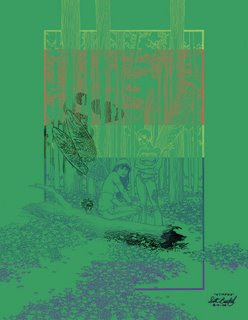
I touched up your nymph art with this selection technique. Just effortlessly reselecting the line area, alt selecting to get rid of some selction and doing different fills. Then at the end I just started putting black back on the line area. Wacky eh?